> For the complete documentation index, see [llms.txt](https://docs.thewalletcrew.io/llms.txt). Markdown versions of documentation pages are available by appending `.md` to page URLs; this page is available as [Markdown](https://docs.thewalletcrew.io/connectors/ticketing/secutix.md).
# Secutix
Distribute Secutix event tickets to Apple Wallet and Google Wallet with The Wallet Crew: turn tickets into passes, share wallet links and keep them updated.
### Why connect Secutix to The Wallet Crew
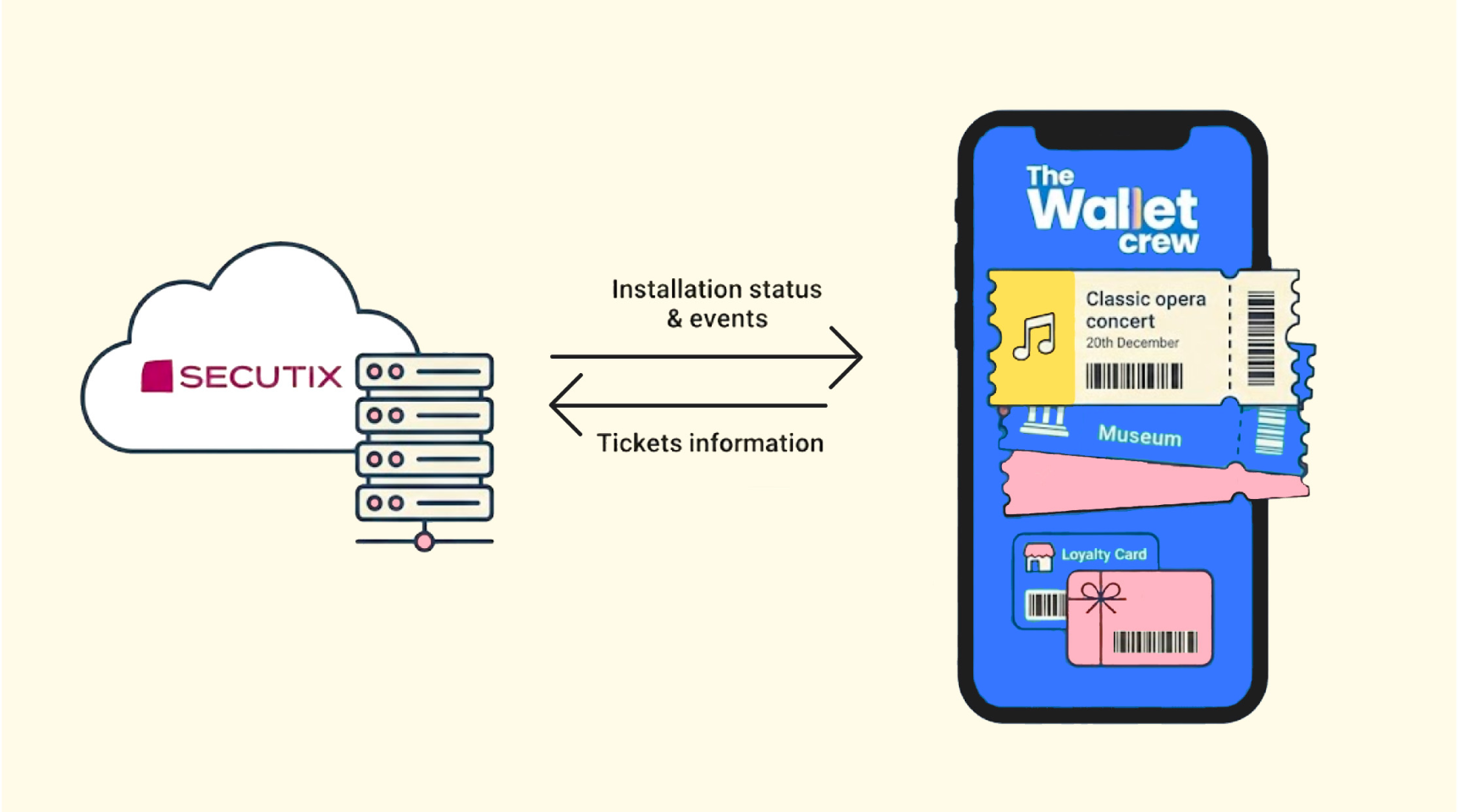
Secutix is a ticketing platform used by event organizers to manage the full ticket lifecycle. It covers key ticketing workflows like inventory, sales channels, customer data, access control, etc. The Wallet Crew turns Secutix tickets into **Apple Wallet** and **Google Wallet** passes, so attendees can store them on their phone and present them at the entrance.
Secutix stays the source of truth for ticket state. The Wallet Crew runs the wallet layer.
For a seamless integration with the existing flow, the transactional email can carry an **“Add to Wallet”** button that links to the hosted download page. Within the Secutix ticket shop (or any owned page), The Wallet Crew SDK renders the “Add to Wallet” button directly in the page.
Secutix stays the source of truth. When an order changes, The Wallet Crew updates the pass (or invalidates it) and can send wallet-side messages for time-sensitive changes.
For teams looking at how to distribute Secutix tickets on Apple Wallet and Google Wallet, this integration is the practical answer.
{% hint style="info" %}
Secutix controls ticket data and state. The Wallet Crew executes everything wallet-side: pass creation, distribution, updates/invalidations, and notifications.
{% endhint %}
### What this unlocks
Fans or visitors add their ticket in one tap using native Apple Wallet and Google Wallet buttons. At the gate, the pass is offline-ready and shows a high-contrast barcode or QR code.
Ticket changes stay synchronized. Seat moves, exchanges, and cancellations refresh the wallet ticket automatically. For urgent changes, a wallet notification can also be sent.
Operationally, this removes PDF friction and printing, and it reduces “where is my ticket?” support. Adoption and usage tracking are also available, split by event.
{% hint style="info" %}
The Wallet Crew reads ticket data from Secutix web services.
Secutix notifies ticket changes via webhook on a fixed schedule (every \~10 minutes). No file sync is used.
{% endhint %}
Real-world examples
* **Post-purchase email**: Add a single “Add to Wallet” link per order in the Secutix confirmation email.
* **Multiple tickets in one order**: Show the list of attendees and seats, then let customers add all tickets in one flow.
* **Last‑minute changes**: Update gate or start time in Secutix (example: “Gate B”, “20:30”) and refresh the wallet pass automatically.
* **Cancellation / refund**: When a ticket is cancelled in Secutix, invalidate the wallet pass so it is explicitly greyed out.
* **Event day reminder**: Send a message like “Your event starts in 2 hours. Gates open at 19:00.” and surface it near the venue (geolocated notifications).
### What this integration does
This connector syncs Secutix ticketing data with The Wallet Crew **Event Ticket** passes in **Apple Wallet** and **Google Wallet**. The Wallet Crew turns each Secutix ticket into a wallet pass, then handles distribution and lifecycle updates. Secutix stays the source of truth for ticket state and changes.
1. **Ticket → wallet pass rendering.** Map Secutix fields (event, venue, attendee, seat, barcode/QR, ...) into Apple Wallet and Google Wallet tickets.
2. **Email-friendly distribution.** Add a single “Add to Wallet” link in Secutix confirmation emails, and let the page show the right button per device.
3. **Ticket shop distribution.** Embed the “Add to Wallet” button directly in the Secutix ticket shop with the SDK.
4. **Real-time updates.** When Secutix changes a ticket (seat change, exchange, cancellation, ...), update or invalidate the pass, and optionally notify the attendee.
5. **Installation Status →** Installation status will be automatically added to a movement external reference (optional).
6. **Printing Status ->** Ticket will automatically be marked as "printed" when pass is installed on a wallet (optional).
### FAQ
How fast do Secutix tickets update in Apple Wallet and Google Wallet?
By default, Secutix sends change webhooks every **\~10 minutes**. After The Wallet Crew receives the webhook, the pass update is usually pushed in **seconds**.
The customer’s phone must have an active internet connection (Wi‑Fi or cellular) to receive the update.
For an immediate refresh, a **push update** can be forced from The Wallet Crew back-office.
Do attendees need to re-add the ticket after a change?
No. The pass is automatically updated or invalidated.
What should be done when a customer says “my ticket is outdated”?
Ask them to **delete the pass**, then click the original **“Add to Wallet”** link again.
For the full checklist, see [Updates, lifecycle, and installation status](/connectors/ticketing/secutix/updates-lifecycle-and-installation-status.md).
### Related documentation
Use these pages for setup details, distribution options, and advanced configuration:
* [Setup](/connectors/ticketing/secutix/setup.md)
* [Wallet pass template & field mapping](/connectors/ticketing/secutix/wallet-pass-template-and-field-mapping.md)
* [Template selection (routing)](/connectors/ticketing/secutix/template-selection.md)
* [Distribution (email links + SDK button)](/connectors/ticketing/secutix/distribution.md)
* [Member cards (Secutix contacts)](/connectors/ticketing/secutix/member-cards-secutix-contacts.md)
* [Updates, lifecycle, and installation status](/connectors/ticketing/secutix/updates-lifecycle-and-installation-status.md)
---
# Agent Instructions
This documentation is published with GitBook. GitBook is the documentation platform designed so that both humans and AI agents can read, navigate, and reason over technical content effectively. Learn more at gitbook.com.
## Querying This Documentation
If you need additional information that is not directly available in this page, you can query the documentation by asking a question.
Perform an HTTP GET request on the following URL with the `ask` and `goal` query parameters:
```
GET https://docs.thewalletcrew.io/connectors/ticketing/secutix.md?ask=&goal=
```
`ask` is the immediate question: it should be specific, self-contained, and written in natural language.
`goal` is what the user is ultimately trying to achieve, the reason they need the answer. Sharing it helps GitBook give you a better, more relevant answer. A goal is most helpful when it describes the outcome the user wants rather than restating the question. For example, with `ask=how do I create an API token`, a goal like `automate deployments from our CI pipeline` lets GitBook tailor the answer to that use case.
The response will contain a direct answer to the question and relevant excerpts and sources from the documentation.
Use this mechanism when the answer is not explicitly present in the current page, you need clarification or additional context, or you want to retrieve related documentation sections.