# Facebook Sign-in configuration
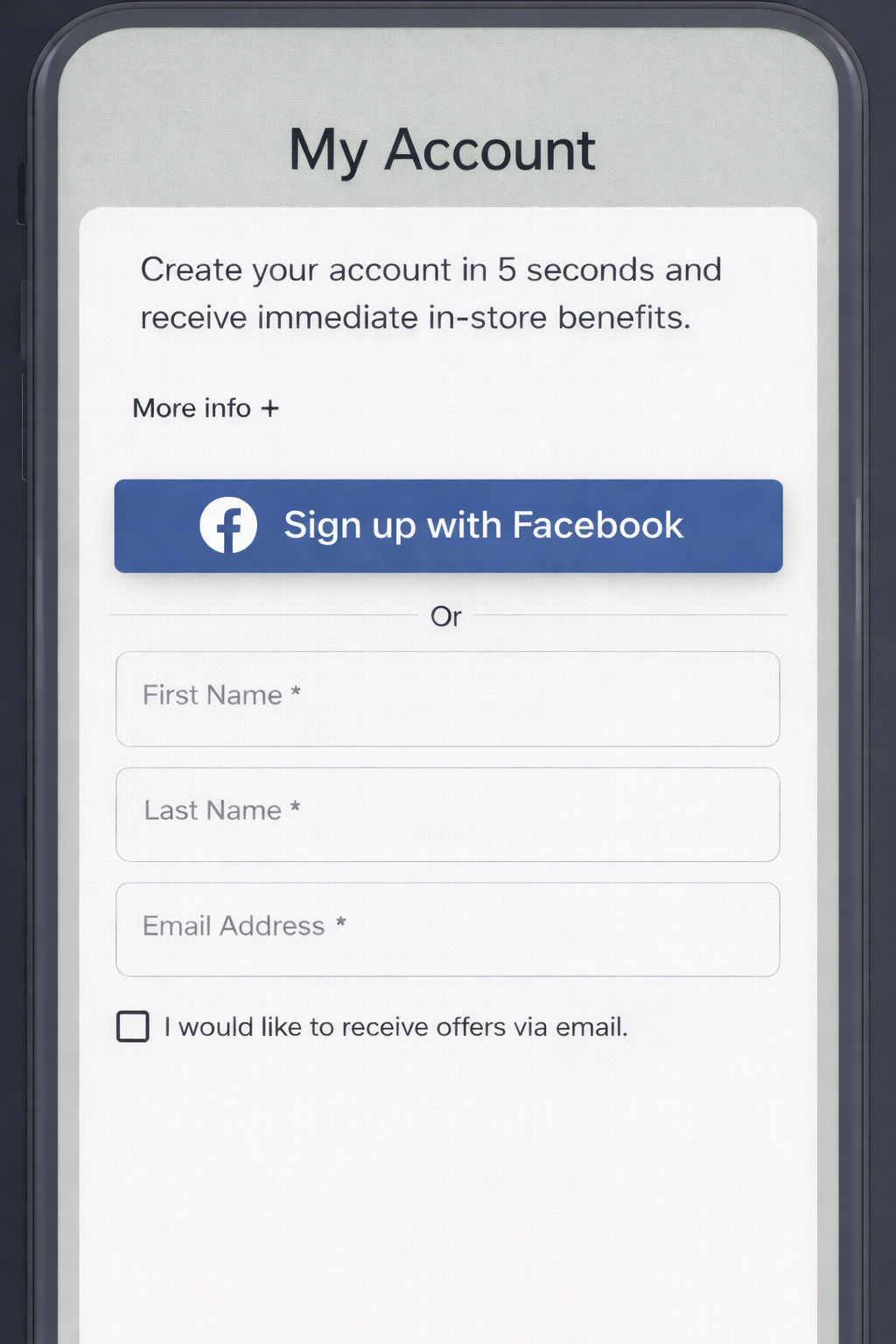
Use this when you want to enable the **Facebook** button in an enrolment form.
Start with [Social sign-in](https://docs.thewalletcrew.io/enroll/enrolment-form/social-sign-in) to understand the user flow. Then come back here for the provider setup.
Connect with Facebook in an enrolment form example
### Overview
#### What you'll set up
* A **Facebook App** with the Facebook Login product enabled.
* **Allowed OAuth redirect URIs** and **valid domains** for your enrolment form.
* The App ID stored in **The Wallet Crew** admin console.
#### Prerequisites
* Access to your brand's **Meta for Developers** account.
* Permission to create or manage **Facebook Apps**.
* The list of domains where your enrolment forms will run (prod + staging + dev + custom).
### Create the Facebook App
{% stepper %}
{% step %}
#### **Open the Meta Developer portal**
Go to the Meta for Developers Apps dashboard:
{% endstep %}
{% step %}
#### **Create a new App**
1. Click `Create App`.
2. Select use case: `Authenticate and request data from users` (or `Consumer` depending on your Meta dashboard version).
3. Set a name. Example: `neostore login`.
4. Complete the app creation wizard and confirm your developer account if prompted.
{% endstep %}
{% step %}
#### **Add the Facebook Login product**
1. From your App dashboard, find the **Add a product** section.
2. Click `Set up` on **Facebook Login for Business** (or **Facebook Login**).
3. Choose `Web` as the platform.
4. Enter your website URL (e.g. `https://app.neostore.cloud`) and save.
{% endstep %}
{% step %}
#### **Configure allowed domains and redirect URIs**
Navigate to **Facebook Login → Settings** in the left sidebar and configure the following:
**Valid OAuth Redirect URIs** — add one URI per environment:
* `https://app.neostore.cloud`
* `https://app-qa.neostore.cloud`
* `https://app-dev.neostore.cloud`
* Any **custom domain** you use for enrolment forms (add the exact origin).
**Allowed Domains for the JavaScript SDK** — add the same list of origins (scheme + host only, no paths).
Save your changes.
> **Note:** Unlike Google, Facebook requires both the redirect URI and the domain allowlist to be filled in.
> {% endstep %}
{% step %}
#### **Switch the App to Live mode**
1. In the top bar of the App dashboard, toggle the app from **Development** to **Live**.
2. If prompted, provide a **Privacy Policy URL** — this is required by Meta before going live.
> While in Development mode, only users listed as testers or developers on the app can sign in. Switch to Live so all users can authenticate.
> {% endstep %}
> {% endstepper %}
> **Info:** Facebook Sign-In for web uses only the **App ID**. It is safe to paste it in the admin console.
### Add the App ID in The Wallet Crew
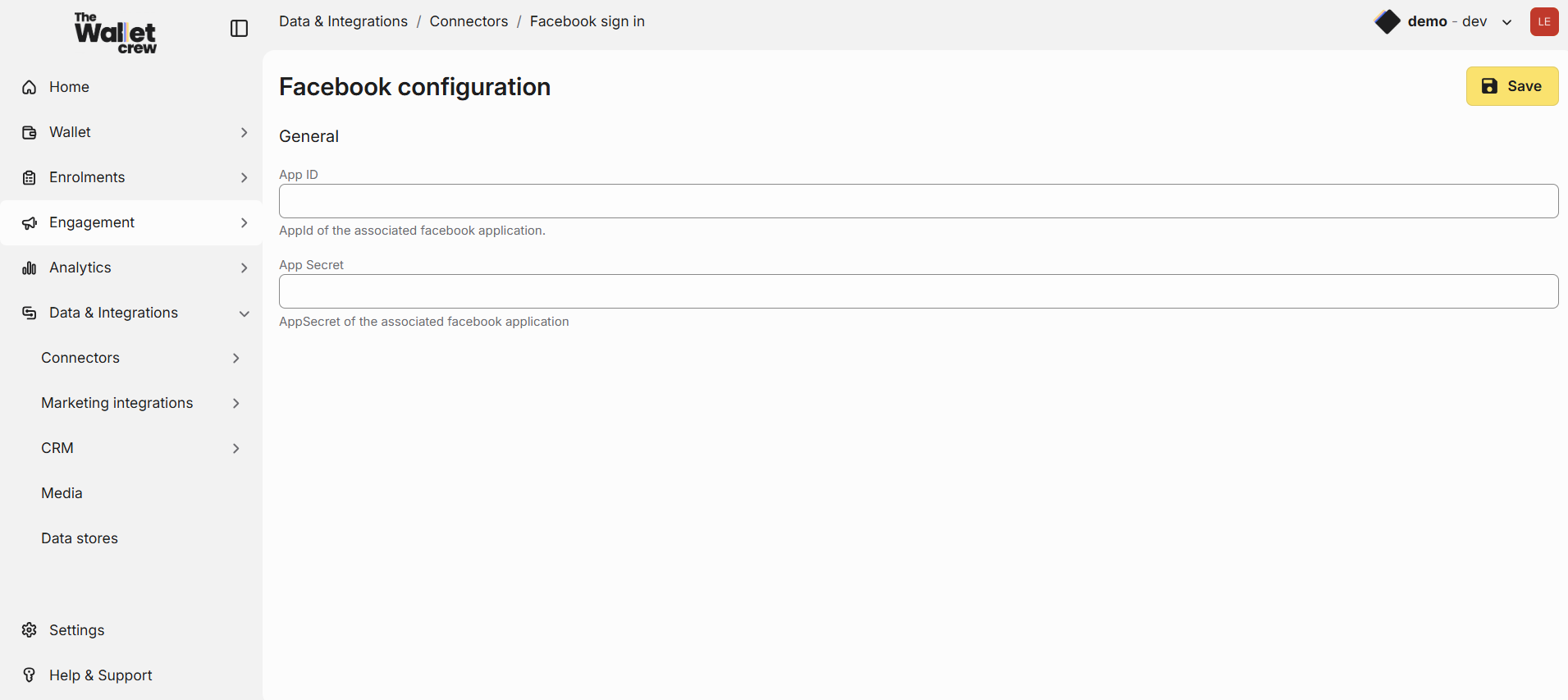
1. Open **Social logins → Facebook** in the admin console.
The Wallet Crew - Facebook Social Sign In configuration
2. Paste the **App ID** from Meta for Developers.
3. Pas the **App Secret** from Meta for Developers.
4. Save.
### Enable Facebook on your enrolment form
Enable the provider in the enrolment form settings.
Go into `advanced configuration -> Layout` Open the layout you want to activate social sign-in on and add these lines
signinOptions:
  providers:
    - type: facebook
For more information see [Enrolment form](https://docs.thewalletcrew.io/enroll/enrolment-form).
### FAQ
Do we need a Facebook App Secret?
No. This setup uses the **App ID** only.
If you see an App Secret in Meta for Developers, don't paste it anywhere in Wallet Crew.
Should we configure "Authorized redirect URIs" in Facebook?
Yes — unlike Google, Facebook **requires** valid OAuth Redirect URIs to be explicitly listed.
Add each environment origin under **Facebook Login → Settings → Valid OAuth Redirect URIs**.
What exactly must be added as an allowed domain?
Add the **origin only**: `scheme://host` (and port if you use a non-standard one).
Examples:
* ✅ `https://app.neostore.cloud`
* ✅ `https://brand.example.com`
* ❌ `https://app.neostore.cloud/molia/mobile` (paths are not allowed)
We use a custom domain. What should we do?
Add your custom domain both to **Valid OAuth Redirect URIs** and **Allowed Domains for the JavaScript SDK** in the Facebook Login settings.
Use the exact domain users see in the browser. Example: `https://wallet.brand.com`.
Why do we list prod, QA, and dev origins?
Facebook validates the origin at runtime.
If a user hits QA but only prod is configured, Facebook rejects the sign-in.
Where do we enable the Facebook button in the user journey?
Provider setup is not enough. You must also enable Facebook on the enrolment form.
See [Social sign-in](https://docs.thewalletcrew.io/enroll/enrolment-form/social-sign-in) and [Enrolment form](https://docs.thewalletcrew.io/enroll/enrolment-form).
---
# Agent Instructions: Querying This Documentation
If you need additional information that is not directly available in this page, you can query the documentation dynamically by asking a question.
Perform an HTTP GET request on the current page URL with the `ask` query parameter:
```
GET https://docs.thewalletcrew.io/enroll/enrolment-form/social-sign-in/facebook-sign-in.md?ask=
```
The question should be specific, self-contained, and written in natural language.
The response will contain a direct answer to the question and relevant excerpts and sources from the documentation.
Use this mechanism when the answer is not explicitly present in the current page, you need clarification or additional context, or you want to retrieve related documentation sections.